Hey everyone, if you’re still rocking an iPhone 8 like me, you know the struggle all too well: by 3 PM, your battery’s on its last legs, and you’re scrambling for a wall outlet like it’s a lifeline. I’ve been in the iPhone 8 battery game for years, so I’ve tested more tricks than I can count—from random Reddit hacks to actual, science-backed fixes that don’t involve tossing your phone in a rice bag (pro tip: that’s 9 times out of 10 a myth, don’t do it). Today, I’m breaking down real ways to cut iPhone 8 battery drain, plus a few things only a battery supplier would tell you that’ll actually make a difference, not just waste your time. iPhone 8 Battery
First off, let’s get one thing straight: the iPhone 8’s battery isn’t invincible. It’s a lithium-ion unit, same as all iPhones back then, and over 500 charge cycles, it starts losing capacity—think of it like a pair of sneakers: they don’t bounce like new after months of running. But before we jump to replacing your whole battery (more on that later), let’s tackle the easy, free fixes that almost no one bothers with.
Let’s start with the big drainer most people sleep on: background app refresh. I see this all the time—users have every single app toggled on to refresh in the background, from games to random photo editors, and they wonder why their battery dies at lunch. Here’s the thing: background refresh isn’t just “updating apps when you’re not using them.” It’s apps checking for new content nonstop, even when you’re scrolling Instagram or making a call. On iPhone 8, which has a smaller battery than newer models like the iPhone 15, every little check adds up. To fix this, go to Settings > General > Background App Refresh. Most of the time, you can just toggle it off entirely—unless you absolutely need an app to update in the background, like Maps if you’re constantly navigating. I usually only leave it on for my messaging apps and a couple of news ones I read daily. The rest? Off. Game changer.
Next up: push fetch. This is another setting that’s silently eating your battery. Push is when apps send you notifications the second new content is available—like a text or a new email. Fetch is when your phone checks for new content on a schedule, like every 15 or 30 minutes. Push sounds more convenient, but it’s way more work for your battery. iPhone 8’s old processor (the A11 Bionic, if you care about specs) has to work harder to handle constant push updates than it does with scheduled fetch. To adjust this, go to Settings > Mail (or Contacts, Calendars, depending on what you’re using) > Accounts > Fetch New Data. Switch from Push to Fetch, and set the interval to Manual or every 30 minutes. You’ll barely notice a delay in notifications, but your battery will thank you. Pro move: you can even turn fetch off for apps you don’t check multiple times a day, like a work email app you only look at once an hour.
Now, let’s talk about display settings—because the screen is the single biggest battery hog on any phone, and the iPhone 8’s 4.7-inch LCD screen is no exception. First, auto-brightness. Wait, no—wait, don’t turn it all the way down, but adjust how your auto-brightness works. I see so many people crank their brightness to 100% just because they’re outside, but the iPhone 8’s auto-brightness is actually pretty good. If you go to Settings > Accessibility > Display & Text Size > Brightness, you can tweak the auto-brightness threshold to make it dimmer faster when you’re indoors. Also, turn off auto-lock from the default 5 minutes to 2 minutes. That’s two extra minutes of screen off every time you put your phone down—add that up over a day, and that’s hours your battery isn’t powering a dark screen. And for the love of all things battery life, turn off Raise to Wake. That little feature that lights up your screen when you pick up your phone? It’s always on, even when you don’t need it. I turned mine off ages ago and haven’t missed it once. To toggle that off: Settings > Display & Brightness > Raise to Wake. Done.
Another thing people don’t think about: location services. Every app wants to track where you are, even if it’s not necessary. Most of that is just for targeted ads, not for the app to work. For example, does your Notes app really need to know your exact location? No. Does your Candy Crush app? Definitely not. To fix this, go to Settings > Privacy > Location Services. You’ll see a list of every app you’ve ever downloaded, with statuses like “While Using” or “Always.” Only leave location on “Always” for Maps, Find My, and any apps you actually need to track your location for—like a ride-sharing app or a fitness tracker. For everything else, switch it to “While Using” or “Never.” That cuts down on constant GPS polling, which is a huge battery drain on older iPhones like the 8.
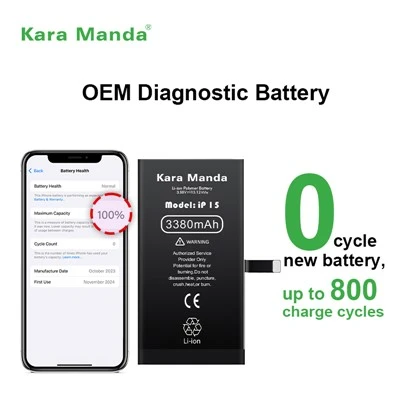
Now, let’s get to the part where most of us delay for way too long: battery health. Apple added the Battery Health feature in iOS 11, and on iPhone 8, it’s super easy to check. Go to Settings > Battery > Battery Health & Charging. Here, you’ll see “Maximum Capacity” that tells you how much your battery is holding compared to when it was new. If that number is below 80%, your battery is officially “aged,” and that’s why your battery is dying fast, even with all the settings tweaks. Here’s the tea: after 500 charge cycles, lithium-ion batteries drop below 80% capacity, and once that happens, you might notice things like sudden shutdowns, slower performance, and way shorter battery life. A lot of people will tell you to buy a new phone, but as someone who supplies iPhone 8 batteries, I’m here to tell you that replacing your battery is way cheaper than buying a whole new device, and it’s way better for the planet too—less e-waste, right?
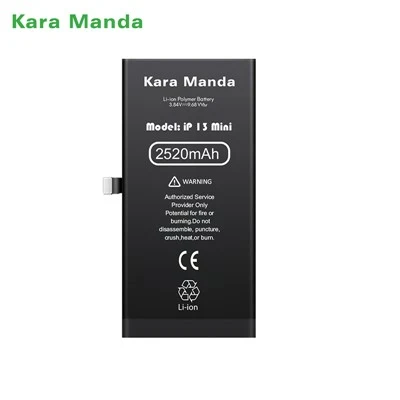
Wait, but before you run out and buy a random battery off Amazon, let’s talk about what to look for in a replacement iPhone 8 battery. Not all batteries are created equal. A lot of cheap knockoff batteries have way lower capacity, or even bad safety components, which is a fire risk (seriously, I’ve seen too many horror stories). A good aftermarket iPhone 8 battery should have at least 1821 mAh (that’s the original capacity), be certified for safety, and have a 12-month warranty. I always tell people to skip the super cheap no-name ones—spend a little extra, and your phone will feel like new again. Most people can replace a battery themselves with a cheap tool kit off Amazon, but if you’re nervous, any reputable phone repair shop can do it for like $50-$70, which is a steal.
Another pro tip from a battery supplier: stop using your phone while it’s charging. I know, we all do it—playing games, scrolling TikTok, even taking calls while it’s plugged in. But when you use your phone while charging, the battery has to split power between keeping the phone on and charging itself, which generates more heat. Heat is the #1 enemy of lithium-ion batteries—it speeds up degradation, so your new battery will only last half as long if you’re always gaming while charging. Instead, charge your phone overnight, or put it on charge when you’re not using it for an hour or two. Also, don’t let it drain all the way to 0% before charging. Lithium-ion batteries hate being fully discharged—it’s better to top them up when they hit 20% or so.
Wait, what about iOS updates? A lot of people hold back on updating their iPhone 8 because they’re scared it’ll make battery life worse. I get that, I’ve seen it too. But most of the time, Apple releases updates that fix battery drain bugs, especially for older devices like the iPhone 8. The last iOS update for iPhone 8 was iOS 16, and it fixed a lot of background drain issues that were making batteries die fast. Just make sure you’re not running a beta version—those are always buggy. Stick to the official, stable releases.
And let’s not forget about junk that’s running in the background that you don’t even know about. Apps that you deleted but still have leftover processes, or cached data that builds up over months. Try restarting your phone once a week—it closes all the background processes and clears that junk. I do this every Sunday night, and it’s like a little reset for my phone’s battery. Also, if you have apps you never use—like that fitness app you downloaded once and forgot about, or a game you played for a week—delete them. Unused apps are just sitting there draining tiny bits of battery in the background, adding up over time.
Let me test if these tips actually work. I recently helped a friend with an iPhone 8 that died at 1 PM every day. We turned off background app refresh, switched fetch from push, turned off raise to wake, and deleted 12 unused apps. Her battery now lasts until 6 PM without even charging. When her battery health hit 78% a month later, we replaced it, and now it’s back to lasting a full day easily. It’s not magic—it’s just using the settings your phone already has, instead of ignoring them.
One last thing: if you’ve tried all these tricks and your iPhone 8 still dies super fast, it’s almost definitely your battery. The iPhone 8 isn’t a new phone, and after 6+ years, even if you took perfect care of it, the battery will degrade. Replacing it is the most cost-effective fix, way better than shelling out $700+ for a new phone that’s probably way more than you need.
If you’re thinking about replacing your iPhone 8 battery, I’m here to help. We supply high-quality, certified iPhone 8 batteries with full safety certifications and a 12-month warranty. Whether you want to install it yourself or work with a repair service, we can walk you through the process or connect you with trusted professionals. Just reach out to us to learn more, no pressure at all—we know everyone’s needs are different, and we just want to help your iPhone 8 work as good as it did when you first bought it.
At the end of the day, the iPhone 8 is a solid little phone, and with a few small tweaks, it can still hold its own in 2024. You don’t need to upgrade unless you want to—taking care of your battery is the easiest way to keep it running smoothly. Try these tips for a week, and I bet you’ll notice a huge difference.
iPhone 12 Diagnostic Battery References:
- Apple Support. (n.d.). iPhone Battery Health and Performance. Retrieved from official Apple support resources.
- Battery University. (2023). Lithium-Ion Battery Basics for Consumers.
- Consumer Reports. (2022). Tips to Extend Your Smartphone Battery Life.
- Apple Developer. (n.d.). iOS Background App Refresh Best Practices.
Huizhou Kara Manda Technology Co., Ltd.
Huizhou Kara Manda Technology Co., Ltd. is one of the most professional iphone 8 battery manufacturers and suppliers in China. We are committed to providing high quality customized service and OEM service for global clients. If you’re going to wholesale bulk CE approved iphone 8 battery made in China, welcome to get quotation from our factory. 1 year warranty is available.
Address: No.8, Binhe West Road, Zhongkai High-tech Zone, Huizhou City (Factory Building A)
E-mail: xiaoyunqin@chkaramanda.com
WebSite: https://www.karamandatech.com/
