Hey everyone, it’s Jake here from the USB Camera Module team—been getting a TON of DMs lately asking, “How do I actually mount this USB camera module I just bought? It looks small, but I don’t want to break it or mess up the image quality.” Fair question! I’ve seen folks go from trying to tape a module to a plastic case and having it wiggle every time someone touches the device, to overcomplicating it with fancy hardware that adds 3x the cost. Today I’m walking through the whole process step by step, no jargon, no BS, just what works for most projects, plus a few pro tips I’ve picked up as a module supplier over the last 7 years. USB Camera Module
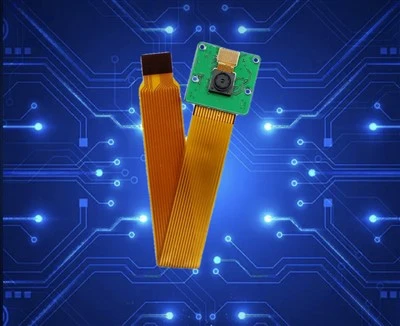
First, let’s nail down what “mounting” even means here. It’s not just screwing a camera to a table—for our modules, it means two big things: securing the module so it doesn’t shift (which would ruin focus or make video blurry) and positioning it correctly for your use case (like making sure a doorbell module points straight at a doorstep, or a industrial inspection module lines up perfectly with a conveyor belt). Also, important: your USB camera module has super tiny, delicate parts—you don’t want to yank the USB cable by the connector later, so we’re building in strain relief too, not just the camera itself.
Wait, quick pre-check before you start: pull out your module’s spec sheet (you should’ve gotten this from us, if not shoot me a note—we keep copies for every SKU we make). Make sure you know the module’s dimensions, the type of mounting holes it has (some have M2 threaded inserts, others just through-holes for screws, a few even have adhesive patches pre-applied) and how much space the USB cable needs to hang—no one wants a cable crimped between the module and your device’s case. Also, grab your tools: small Phillips screwdriver (size #0 or #00, big ones will strip the tiny screw heads), a tape measure, a level (even a cheap phone one works), masking tape (no residue, perfect for holding things in place while you adjust), and maybe a drop of super glue if you’re not a fan of screws (but we’ll warn you about that later).
Step 1: Plan your position first—don’t just stick it somewhere and hope. This is the #1 mistake beginners make. Let’s say you’re building a kid’s STEM robot with our 1080p USB camera module: you want the camera to see straight ahead, not tilted up at the ceiling. Or if it’s a shop security module, you need it to cover the exact area you’re monitoring, not half the shelf. How to do this? Take a piece of masking tape, mark where the module’s front lens is, and stick that tape to your case, robot, or surface. Prop the module up temporarily (even a stack of post-its works) so you can look through it or do a test video on your computer—most of our modules plug straight into a laptop’s USB port, no extra drivers needed. Adjust until the view is exactly what you want, then mark the screw holes on the masking tape. Peel that tape off, stick it to your surface, and drill or make pilot holes there. Way easier than drilling holes and realizing you’re ¼ inch off and the camera’s pointing at a wall.
Step 2: Secure the module base—screws vs adhesive, no right or wrong, just pick what fits. Our modules come with different mounting options, so match that. If your module has threaded M2 holes (most of our industrial and robotics modules do), go with screws: M2 screws are tiny, 4mm or 6mm length usually—don’t use longer ones, they’ll push through the lens side and break it. Tighten them just enough to hold the module snug—over-tightening will crack the module’s plastic housing, I’ve seen it happen way too many times. If you’re using adhesive (our consumer modules, like the ones for baby monitors, often have peel-and-stick 3M VHB tape on the back), clean the surface first with rubbing alcohol and a lint-free cloth—grease from your fingers or dust will make the tape fall off. Press it down hard for 30 seconds, wait 10 minutes before plugging in, don’t yank it right away. Pro tip: Never use hot glue on a camera module. Hot glue melts with temperature changes, shifts, and if it gets on the lens, it’s a nightmare to clean without scratching it.
Step 3: Strain relief—this is the part everyone skips until their camera stops working. The USB cable’s connector is soldered to the module’s tiny PCB, so if you yank the cable every time you unplug it, the solder joints will break in 6 months. For mounting, you don’t need fancy industrial parts—just a cable tie or a small piece of plastic. If your case has a little slot for the cable, run the cable through that, then use a cable tie to secure it to the module’s housing, not the cable itself. Leave a little slack—about 2 inches between the module and the case edge—so the cable doesn’t get pulled tight when the case is closed. If you don’t have a slot, just run the cable along the edge of your surface, hold it in place with a small piece of double-sided tape, then secure it with a zip tie. Simple, but saves you from having to replace a whole module because of a broken cable.
Step 4: Test the mount—don’t take it for granted. After you tighten the screws or stick the module down, plug it into a computer or your device, open a camera app (Windows Camera, QuickTime, whatever), and check two things: first, is the lens straight? Tilt it just a little and you’ll get distorted, blurry video. If it’s not level, loosen the screws a tiny bit, adjust it, tighten again. Second, check focus: most of our modules are auto-focus, but some fixed-focus ones need you to twist the lens barrel (gently!) until the text or object in your view is sharp. If you just mount it and leave it, you might end up with a blurry video you can’t fix without taking the whole thing apart.
Wait, let’s talk about different use cases because mounting isn’t one-size-fits-all. For example, if you’re using our mini USB camera module for a doorbell: you don’t want it bouncing in the rain, so screw it to a wooden or metal frame with rubber gaskets between the module and the frame—gaskets absorb vibration, no blurriness from wind or door slams. For our wide-angle modules used in car dash cams: you can mount it to the windshield with the included adhesive mount, but add a tiny piece of foam between the camera and the mount to reduce vibration from the car. For industrial conveyor inspection modules: we recommend mounting them to adjustable arms so you can tweak the angle without taking everything apart—super handy when you’re testing different product sizes.
Now, a few mistakes I see people make (and how to avoid them): First, drilling too big of holes. If your module has small through-holes, a drill bit that’s too big will make the screws wiggle, and the module will shift. A 1/8 inch drill bit is perfect for most M2 screws. Second, mounting too far away from the edge of the surface. If you stick a camera module too far back in a case, you might block the lens—wait for it, there’s nothing worse than building a whole project only to realize the camera is hidden behind a wall. Third, ignoring temperature. If your device is going to be outside, in a hot garage or cold warehouse, make sure the mount material (plastic, metal, whatever) can handle that. We have modules rated for -20C to 60C, so pick a mount that can work in that range too.
Oh, and what if you’re mounting a module with a non-standard shape? Like a round module for a surveillance camera. No problem—we design our modules to be mountable with custom brackets too. You can 3D print a simple bracket, drill a hole for the camera, and screw it to your surface. Just make sure the bracket is rigid enough, no flexing—flex will cause blurry video over time.
Wait, let’s circle back to why I know all this: I’m Jake, part of the team that makes these modules. We don’t just sell modules—we help customers figure out how to use them, because a great camera is useless if you can’t mount it right. Last month a guy reached out because his robot’s camera was blurry, turns out he’d used a too-long screw that bent the module’s PCB. Another customer’s baby monitor camera fell off the wall because he didn’t clean the surface before sticking the adhesive. Small mistakes, but easy to fix with the steps above.

So whether you’re a hobbyist building a robot, a startup making a new smart device, or a manufacturer needing industrial inspection cameras, getting the mount right makes all the difference. If you’ve tried mounting a USB camera module and ran into issues, or you’re ready to pick the right module for your project, hit us up. We can walk you through mounting specifics for your exact SKU, help you pick the right hardware, or answer any other questions you have.
Endoscope Camera Module References:
- USB Camera Module Design Guide, USB Implementers Forum, 2022.
- VHB Adhesive Application Tips, 3M Industrial Adhesives and Tapes Division, 2021.
- Precision Mounting for Small Electronic Components, IEEE Transactions on Packaging and Manufacturing Technology, Vol. 11, No. 3, 2020.
- Industrial Camera Mount Best Practices, Machine Vision Association of North America, 2023.
Shenzhen Juchangxing Technology Co., Ltd.
We are one of the most experienced usb camera module manufacturers and suppliers in China, also support custom service. We warmly welcome you to wholesale durable usb camera module at competitive price from our factory. If you have any enquiry about cooperation, please feel free to email us.
Address: 3rd Floor, Build A, No. 8, Huangdiyin IndustrialZone, Longhua District, Shenzhen.
E-mail: sales@juchangxing.com
WebSite: https://www.jcxcamera.com/
